How to Test Your DLP Policy — Free Tool & Complete Guide
For security engineers, DLP administrators, and compliance teams responsible for data protection policy validation.
Zero Incidents Doesn't Mean Zero Risk
What most tools do
Testing consists of uploading a plaintext file with "SSN" in the filename and calling it done. It provides a simple binary outcome with zero insight into channel coverage, obfuscation detection, or regex structure.
What ITSecTools does differently
Validates through a comprehensive 7-Step Workflow. It tests channel coverage (HTTP/HTTPS/FTP), complex evasion resistance like deeply nested ZIPs and Base64 payloads, and fine-tunes the resulting regex rules.
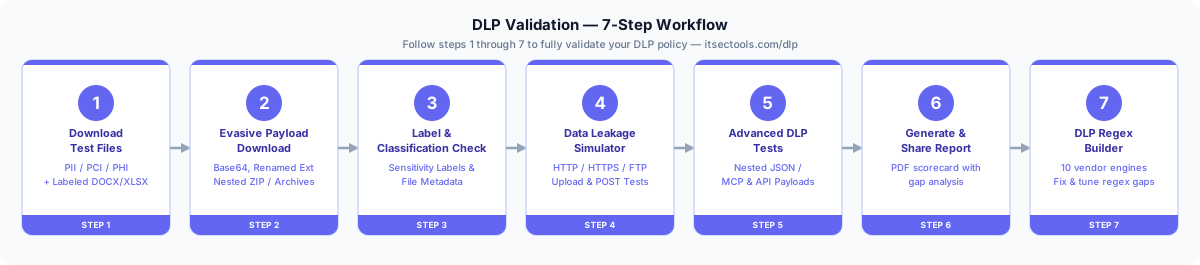
The 7-Step DLP Validation Workflow
Each step builds on the previous. Start with test files, escalate to evasion, generate a report, and finish by fixing the regex patterns behind every gap you found.
Baseline — Can Data Leave At All?
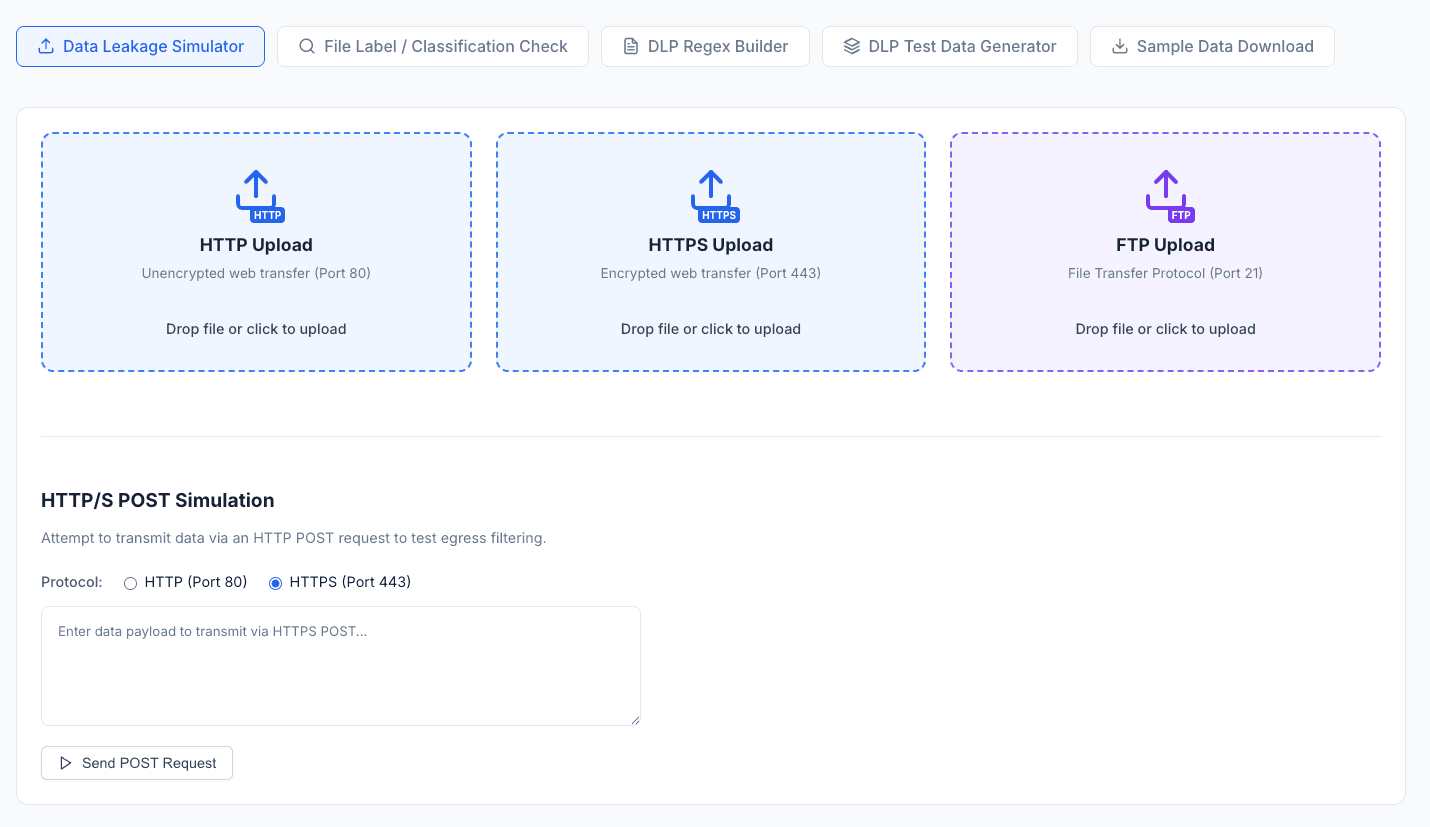
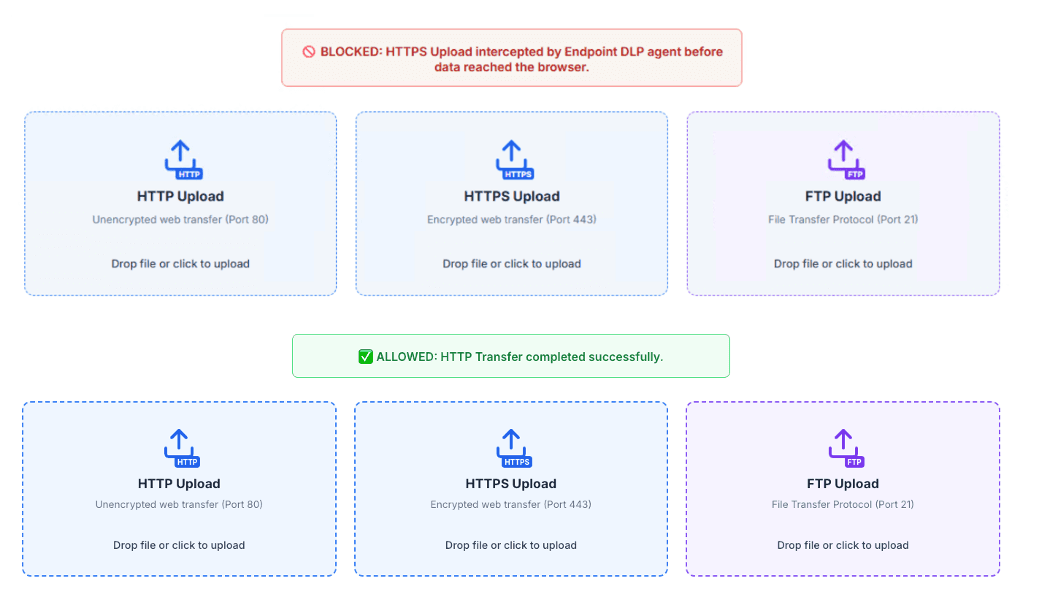
Before testing DLP, confirm that uploads actually work. Upload a benign file (plain text, no sensitive data) through each channel in the Data Leakage Simulator.
- HTTP Upload (Port 80)
- HTTPS Upload (Port 443)
- FTP Upload (Port 21)
- HTTP/S POST Egress (text payload)
Detection Coverage — What Does Your Policy Actually Catch?
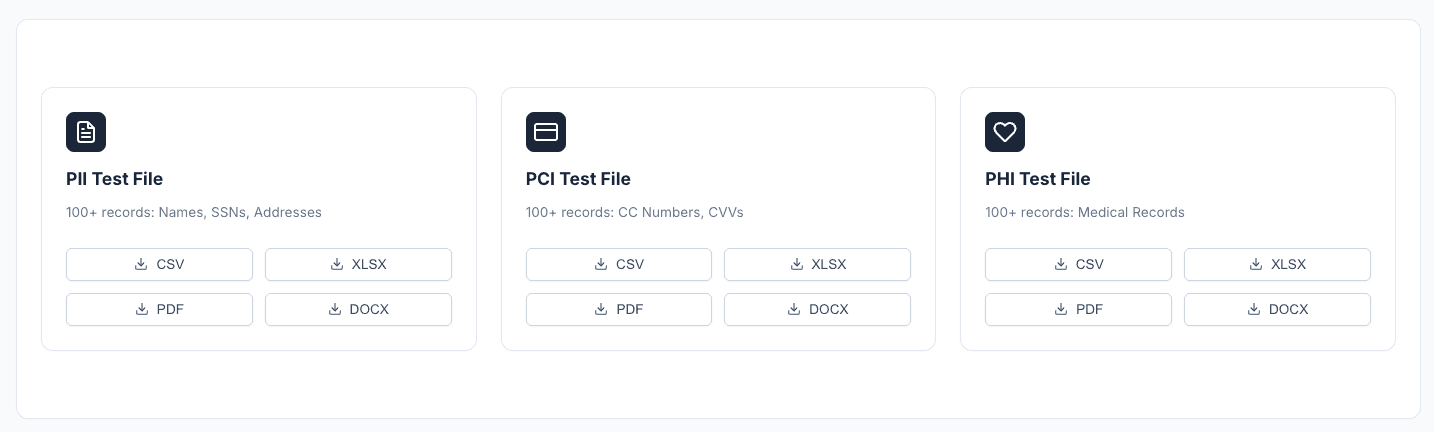
Use Download Test Files to generate realistic sensitive documents. Every download produces unique data — your DLP cannot cheat with hash-based fingerprinting.
| Data Type | Contains | Formats |
|---|---|---|
| PII | SSNs, passports, driver licenses, emails, phones | CSV, XLSX, PDF, DOCX |
| PCI | Luhn-valid Visa/MC/Amex, CVVs, expiry dates | CSV, XLSX, PDF, DOCX |
| PHI | ICD-10 codes, MRNs, medications, health plans | CSV, XLSX, PDF, DOCX |
Channel Coverage — Same Data, Different Path
Take one data type that was blocked in Step 2. Now upload it via every available channel. This reveals channel-specific blind spots.
| Channel | What It Tests | Why It Matters |
|---|---|---|
| HTTPS (443) | SSL-inspected encrypted upload | Requires DPI-SSL — if not enabled, DLP sees nothing |
| HTTP (80) | Plaintext file upload | Often unmonitored — teams assume nobody uses HTTP anymore |
| FTP (21) | Legacy protocol upload | Many DLP policies don't cover FTP at all |
| HTTP/S POST | Text payload in request body | Different inspection path than file uploads — often missed |
Evasion Resistance — Where Most DLP Solutions Fail
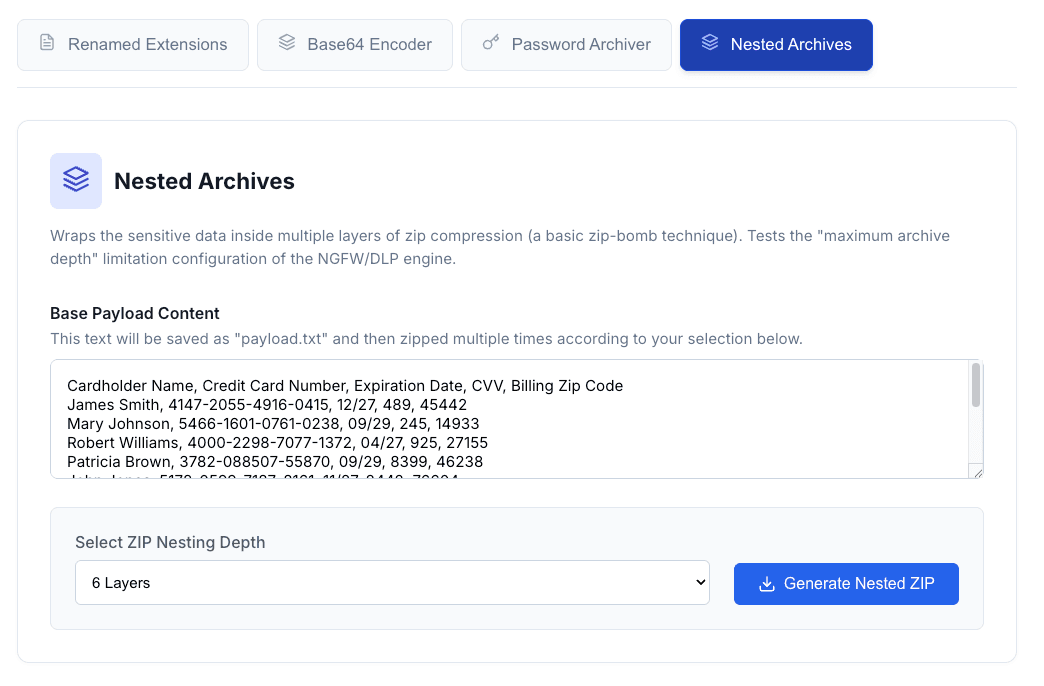
This is where ITSecTools is unique. The Evasive Payload Download creates evasive payloads that simulate real-world exfiltration techniques. No other free tool offers this.
| Evasion Technique | What It Tests | Common Failure |
|---|---|---|
| Renamed File Extensions | Valid DOCX saved as .jpg, .png, .pdf, .txt — does DLP check the Magic Number (true file type) or trust the extension? | Most DLP trusts the extension → data leaks as "image.jpg" |
| Base64 Encoding | Data encoded and exported as .eml (email MIME), .html (data URI), or .docx — can DLP decode on-the-fly? | Network DLP rarely decodes Base64 → encoded data passes through |
| Password-Protected ZIP | AES-encrypted archive — does DLP fail-open (allow) or fail-close (block)? | Most DLP fails-open → encrypted archives are a free pass |
| Nested Archives | Data buried 1–10 ZIP layers deep — what's the max inspection depth? | Most DLP stops at 2–3 levels → deep nesting bypasses everything |
Nested JSON Exfiltration — The Blind Spot No One Else Tests
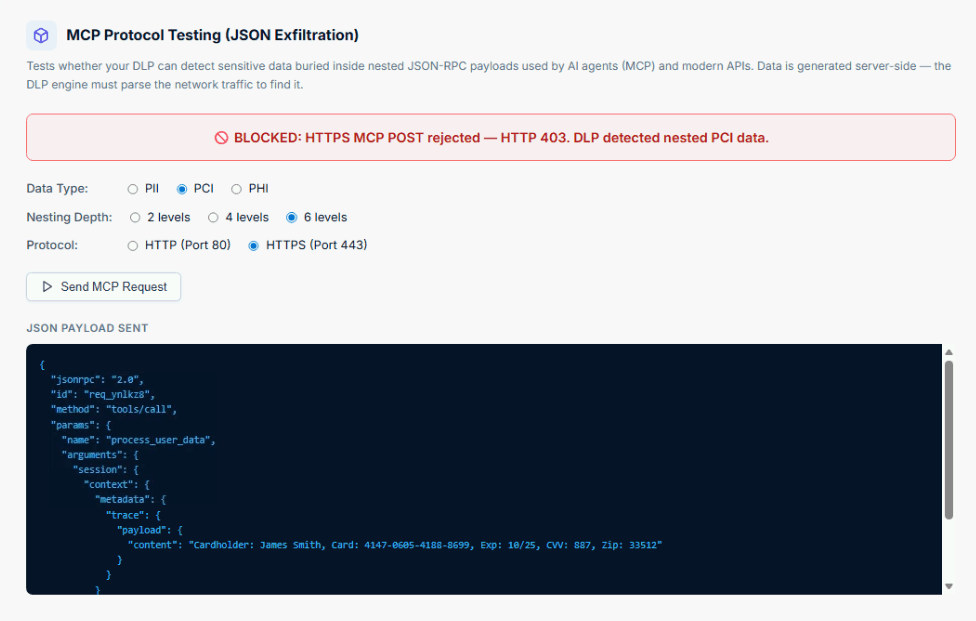
AI agents (MCP), REST APIs, and GraphQL mutations all transmit data inside deeply nested JSON structures. What happens when sensitive data ends up buried 4-6 levels deep inside those payloads? ITSecTools is the only free tool that tests this.
- Select data type (PII, PCI, PHI) and nesting depth (2, 4, or 6 levels)
- Server generates fresh sensitive data and wraps it in a deeply nested JSON-RPC structure
- The payload is POSTed through your network — DLP must parse the nested JSON to find it
- Most DLP engines only scan flat text — this test reveals whether yours can handle structured data
Classification & Metadata — Are Your Labels Being Enforced?
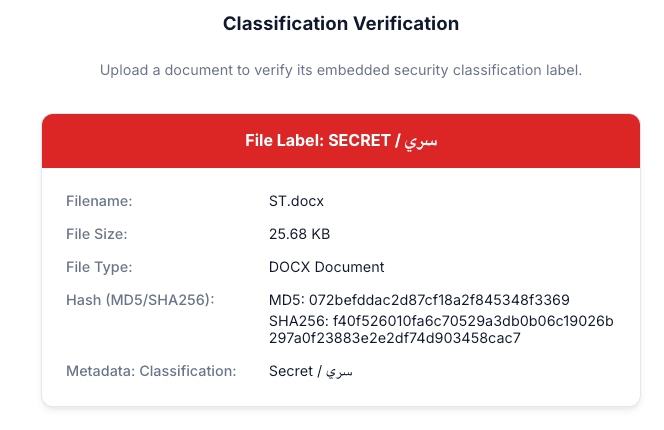
Many organizations invest in classification labeling — Microsoft Purview, Boldon James, Titus — but never validate that DLP actually reads and enforces those labels. The Label & Classification Check closes this gap.
- Upload PDF, DOCX, or XLSX files
- Extracts embedded classification labels from document metadata and custom properties
- Shows color-coded results: CONFIDENTIAL, INTERNAL, PUBLIC
- Displays file hashes (MD5, SHA256) and deep metadata inspection
Regex Tuning — Fix What Broke
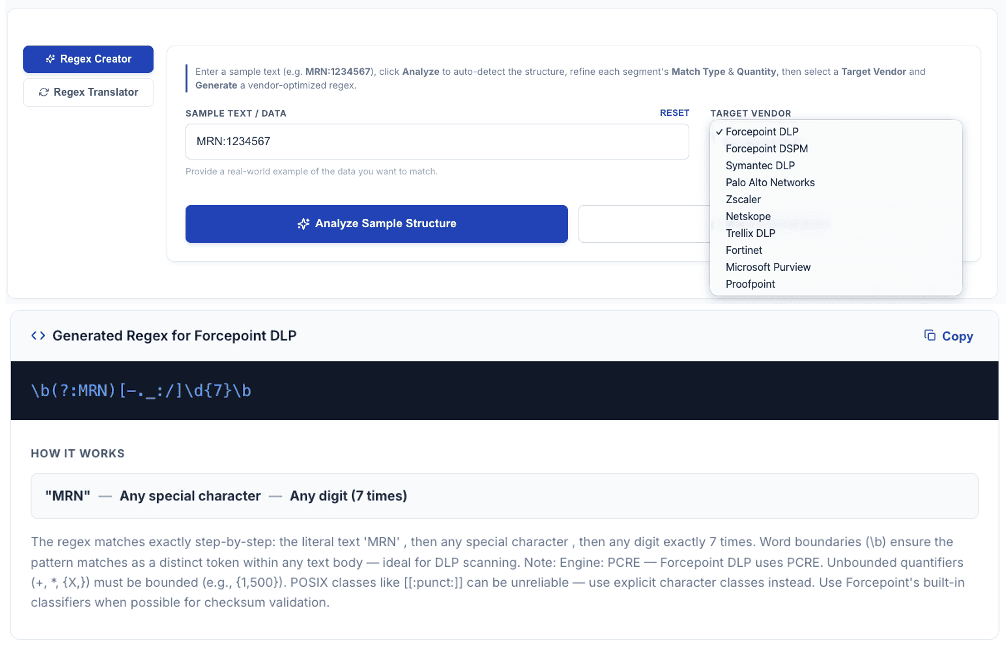
Your DLP policy is only as good as the regex behind it. Steps 2–4 revealed detection gaps. Step 7 closes them using the Regex Creator and Regex Translator.
- Paste sample data → auto-tokenizes into segments
- 25 match types (digits, letters, character sets, ranges, exact text)
- 6 quantifier options (exactly N, between X–Y, optional, one-or-more)
- Generates vendor-specific regex with word boundary protection
- Plain-language explanation of what the regex does
A regex that works in Forcepoint (PCRE) silently fails in Palo Alto (RE2 — no lookarounds) or Microsoft Purview (quantifier limit under 10). The Translator converts patterns across 10 DLP engines:
Score Your DLP: The 7-Step Validation Matrix
After running all 7 steps, use this matrix to score your DLP posture. Share it in your security report — it gives management a clear picture.
| Phase | What You're Testing | Pass | Common Failure |
|---|---|---|---|
| Step 1 — Baseline | Uploads work without DLP | All 4 channels succeed | Network blocks non-DLP traffic |
| Step 2 — Detection | PII/PCI/PHI across formats | All 12 files detected | PDF and DOCX slip through |
| Step 3 — Channels | Same data, all protocols | All channels block | HTTP and FTP unmonitored |
| Step 4 — Evasion | Renamed, Base64, ZIP, nested | All 4 techniques blocked | Extension trust, no Base64 decode |
| Step 5 — Advanced DLP | Nested JSON / MCP payload detection | Nested payloads detected | DLP fails to parse structured JSON |
| Step 6 — Classification | MIP labels enforced | CONFIDENTIAL files blocked | Labels exist but DLP ignores them |
| Step 7 — Regex | Patterns work in your engine | Detection confirmed | Regex fails after vendor migration |
The Entire Test Takes 15 Minutes
No signup. No installation. No agents. No data stored server-side. Open ITSecTools in your browser and work through the 7 steps. At the end, you will know exactly where your DLP is strong, where it has gaps, and what to fix first.
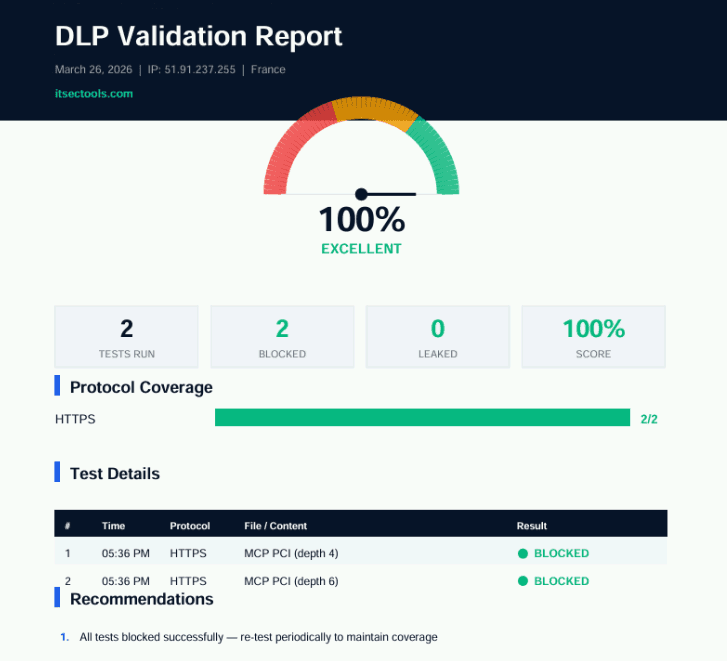
- Generate a PDF report — click "Generate Report" after your tests to download a branded scorecard with score gauge, protocol coverage, and gap analysis
- Share the report in your next security review — it gives management a clear, visual scorecard of your DLP posture
- Re-test quarterly and after every policy change, DLP engine upgrade, or vendor migration
- Use as compliance evidence — the matrix maps directly to PCI-DSS, HIPAA, and GDPR data protection control requirements
- Prioritize Phase 4 failures — evasion gaps are the highest risk because attackers actively exploit them