Your NGFW Has 10,000 Signatures — How Many Actually Fire?
The Configuration Gaps Nobody Tests For
What most tools do
Send standard HTTP payloads that only verify if your firewall can block a basic signature. They completely ignore complex Advanced Evasion Techniques (AETs), continuous flooding, or verifying if SSL Decryption is even enabled.
What ITSecTools does differently
Floods 30 distinct attacks across 4 suites via HTTPS. It guarantees your DPI-SSL is working, tests complex mid-stream body terminations, and fires C2 beacons to ensure your egress filtering is active.
Browser-Based Testing Over HTTPS — Why That Matters
Most NGFW testing tools require agents, appliances, or paid subscriptions — BreakingPoint, Keysight, Spirent. They're powerful but cost more than many organizations' entire security budget.
ITSecTools runs entirely from your browser. Navigate to the URL, click a button, and real attack payloads flow through your network as HTTPS traffic. This is critical because testing over HTTPS simultaneously validates that SSL decryption is working. If your test tool only sends attacks over HTTP, you get a false sense of security — your IPS blocks HTTP attacks fine, but encrypted attacks sail through because nobody verified the decryption policy.
4 Test Suites That Cover the Full Attack Surface
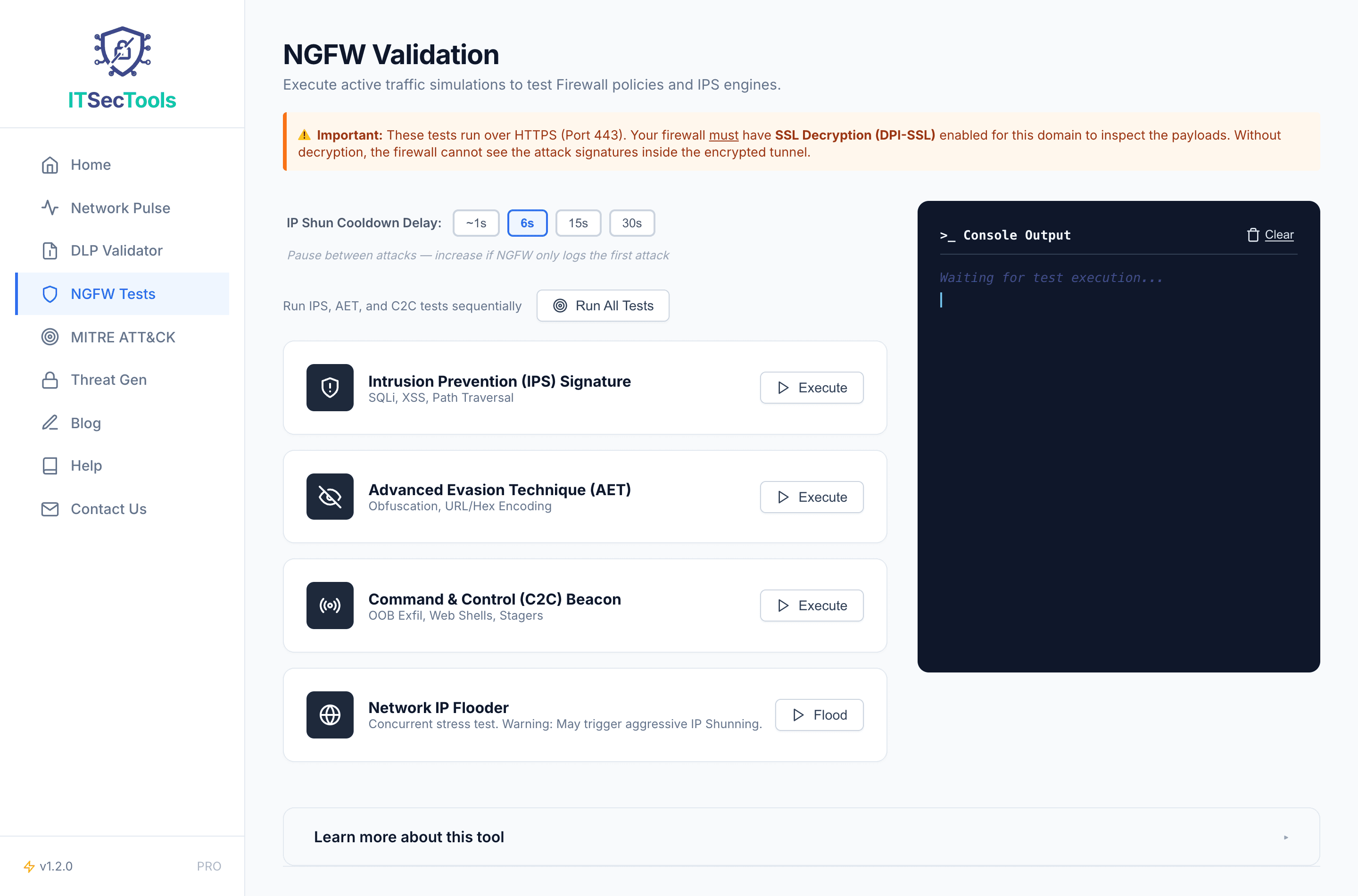
IPS Signature Testing (3 tests) — SQL injection, XSS, and directory traversal in HTTP query strings. The bread-and-butter signatures every IPS should catch. If these pass, you have a fundamental problem.
Advanced Evasion Techniques (3 tests) — Log4j JNDI in HTTP headers (not the URL), hex-encoded SQL injection (tests content normalization), and Shellshock RCE in custom headers. Catches firewalls that only do single-pass pattern matching.
C2 Beacon Simulation (3 tests) — Outbound data exfiltration, web shell beacon check-ins, and ActiveX dropper delivery via response body. Blocking the initial exploit is half the job — if the C2 callback gets through, the attacker still wins.
Network IP Flooder (30 attacks) — 13 unique attack patterns (SQL injection variants, 5 path traversal encoding methods, system file disclosure), randomized with Fisher-Yates shuffle, fired rapidly with no delay. Tests whether your firewall maintains accuracy under sustained volume.
Mid-Stream Body Termination Detection
Here's something unique to ITSecTools. When an NGFW performs streaming content inspection, it sometimes allows the HTTP 200 headers through but kills the connection mid-stream when it detects malicious content. Most testing tools count HTTP 200 as "allowed." ITSecTools reads the full response body and catches mid-stream termination as a block — because that's exactly what it is.
This detection method was critical in achieving accurate flood test results. Without it, many legitimate blocks get misreported as successful attacks.
What Your Results Tell You
IPS blocks but AET passes: Single-pass pattern matching without content normalization. Enable decoding/normalization in your IPS policy.
IPS + AET block but C2 passes: Inbound threat prevention works, but outbound egress filtering is weak. An attacker who gets in can phone home freely.
Everything passes: SSL decryption is almost certainly disabled. Enable DPI-SSL and retest.
Flooder: 30/30 blocked but only 3-5 NGFW logs: Normal. After first detection, your firewall shuns the source IP — subsequent attacks drop at kernel level without individual logs. All 30 are blocked; logs reflect shunning behavior.
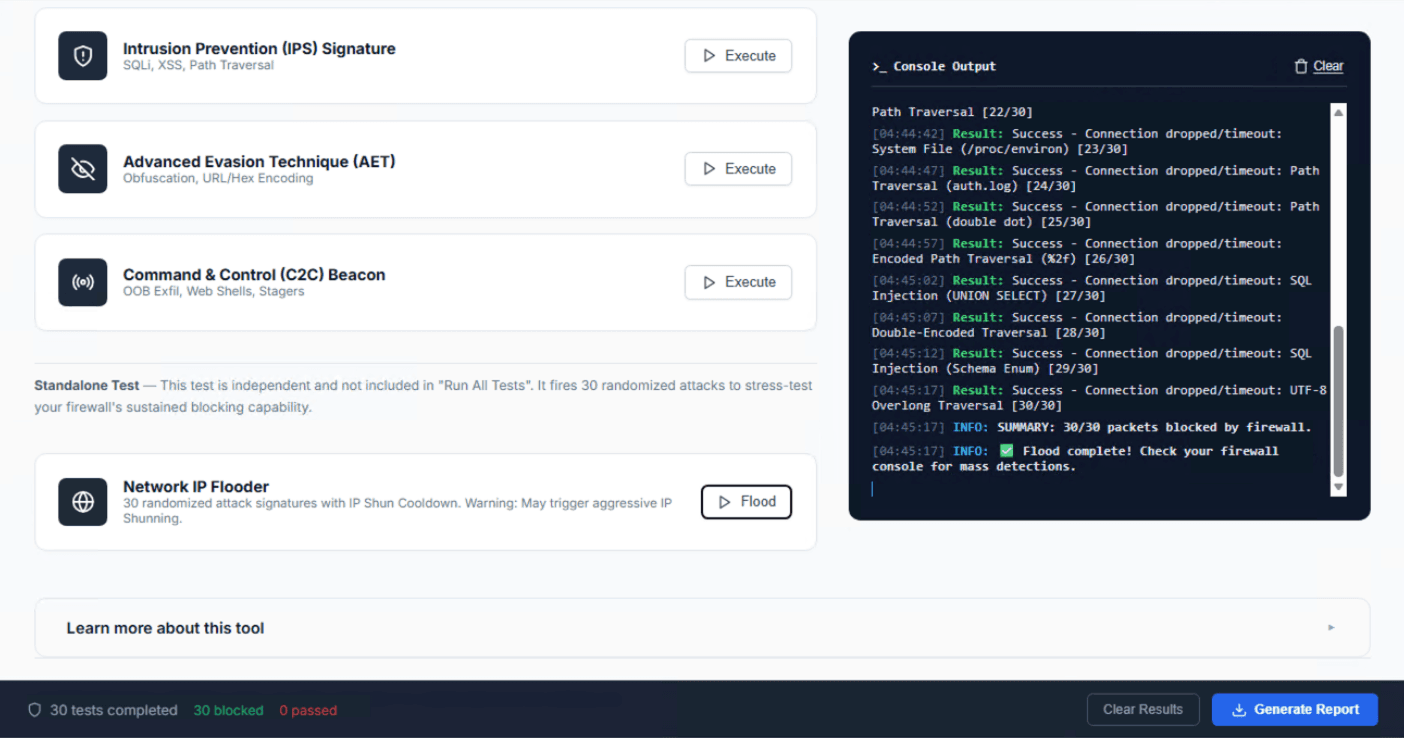
Once you've completed your tests, click the "Generate Report" button to download a professional PDF assessment report. The report includes a score gauge, per-category breakdown (IPS, Evasion, C2, Flood), identified gaps, and actionable remediation recommendations — ready to share with your security team or management.