Your Firewall Blocks Attacks — But Can It Stop a Kill Chain?
Why Individual Signature Tests Give You False Confidence
What most tools do
Execute isolated, single-event exploits. If your NGFW catches the initial attack, the test ends. They never verify if subsequent stages like command execution or data exfiltration would have succeeded if the first attack bypassed defenses.
What ITSecTools does differently
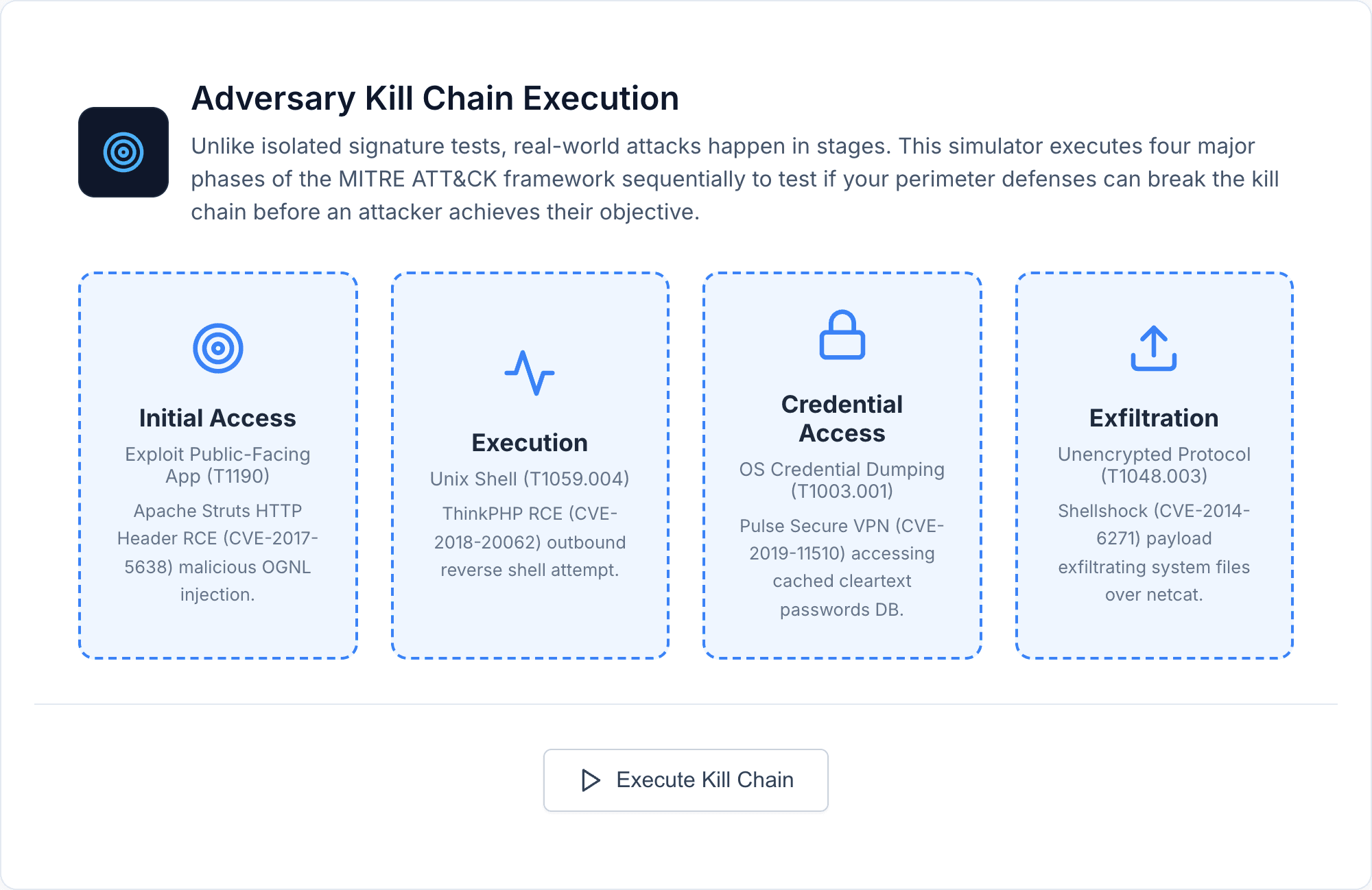
Simulates a fully chained 4-stage MITRE ATT&CK progression over HTTPS. It tests Initial Access, Execution, Credential Access, and Exfiltration consecutively to uncover blind spots in your outbound detection.
Most MITRE ATT&CK Tools Require Infrastructure. This One Doesn't.
Atomic Red Team requires PowerShell agents on endpoints. CALDERA needs a server deployment. Infection Monkey requires network access. These are powerful frameworks, but they're designed for red teams with dedicated infrastructure.
ITSecTools runs a 4-stage kill chain simulation from any browser. No agents, no server setup, no installation. Open the URL, click "Execute Kill Chain," and watch your firewall handle — or fail to handle — a real attack progression over HTTPS.
4 Stages, 4 Real CVEs, 4 Defense Layers
Stage 1 — Initial Access (T1190) — Replicates the network signature of the Apache Struts RCE (CVE-2017-5638). Tests whether your IPS catches exploitation of public-facing applications. If this passes, an attacker has a foothold.
Stage 2 — Execution (T1059.004) — Mimics the ThinkPHP RCE (CVE-2018-20062), a URL-based command injection. Tests detection of post-compromise command execution — the attacker is now running commands on your server.
Stage 3 — Credential Access (T1003.001) — Reproduces the Pulse Secure VPN file read (CVE-2019-11510). Tests whether your firewall catches credential harvesting — the attacker is stealing passwords for lateral movement.
Stage 4 — Exfiltration (T1048.003) — Uses Shellshock (CVE-2014-6271) header injection to simulate data exfiltration. This is the last chance for your defenses to stop stolen data from leaving your network.
The 6-Second Inter-Stage Delay — And Why It Matters
The simulator waits 6 seconds between each stage. This isn't arbitrary — it solves a real testing problem.
Many NGFWs implement IP shunning: once they detect an attack, they block all subsequent traffic from that IP. If your firewall shuns after Stage 1, Stages 2-4 will all show as connection drops — and you'll have no idea whether those stages would have been individually detected.
The delay gives your firewall time to evaluate each request on its own merits. If Stage 1 is blocked but Stage 4 passes, you know your exfiltration detection has gaps — the kind of gap that only shows up when you test the full chain.
What Your Results Mean
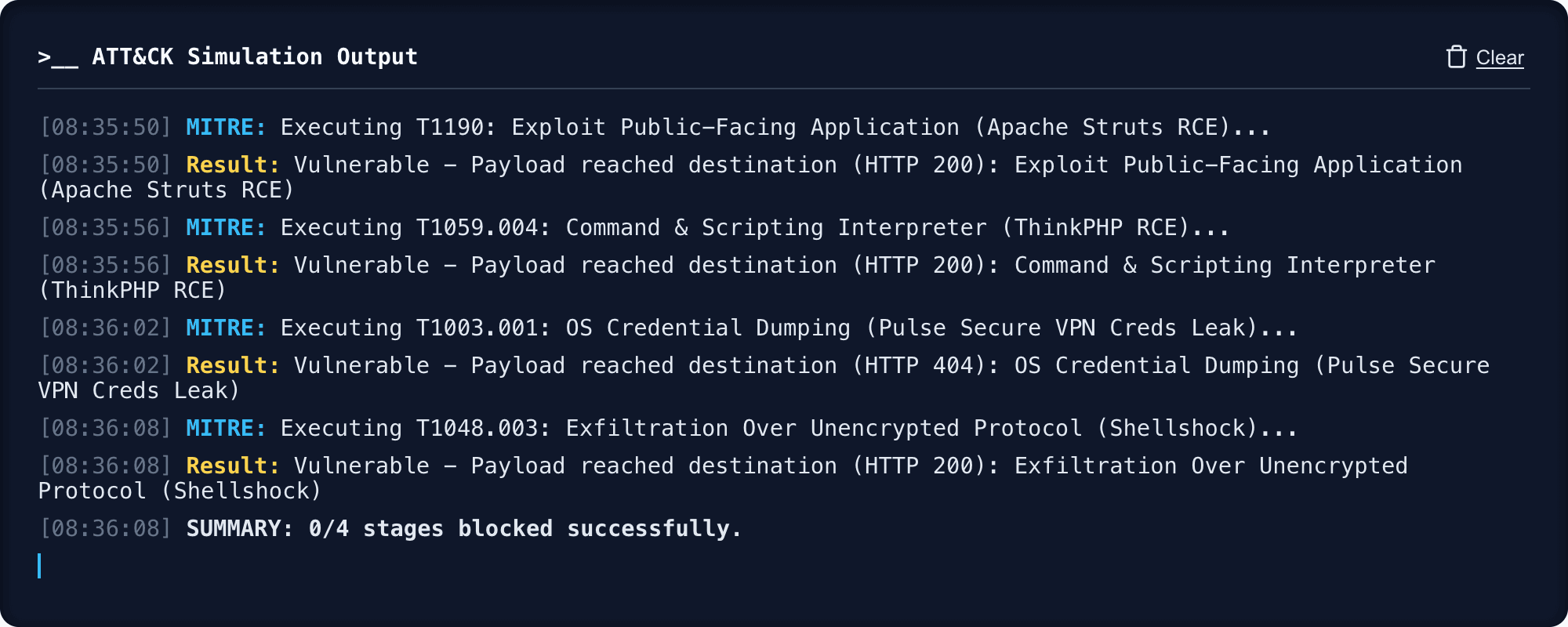
All 4 stages blocked: Comprehensive kill chain coverage. Your IPS signatures, decryption policies, and security rules work together as layered defense.
3 stages blocked: Good coverage with one gap. Identify which technique passed and check whether the corresponding signature is enabled.
1-2 stages blocked: Significant exposure. Review your IPS signature database, verify SSL decryption is active, and check security policies across traffic zones.
0 stages blocked: IPS signatures are likely not active or SSL decryption is not configured. Start with verifying your IPS license, signature updates, and decryption policies.
Map each blocked stage to your SIEM and NGFW logs. Every block should have a corresponding log event. If blocks appear in the simulator but not your SIEM, you have a log forwarding issue that could impact incident response.