EICAR Is Just the Beginning — Test What Your AV Actually Misses
The Problem with Stopping at EICAR
What most tools do
Download the standard EICAR file, confirm it gets caught by the signature engine, check the box, and move on. This tells you nothing about heuristic malware patterns, ransomware behaviors, or zero-day exploits.
What ITSecTools does differently
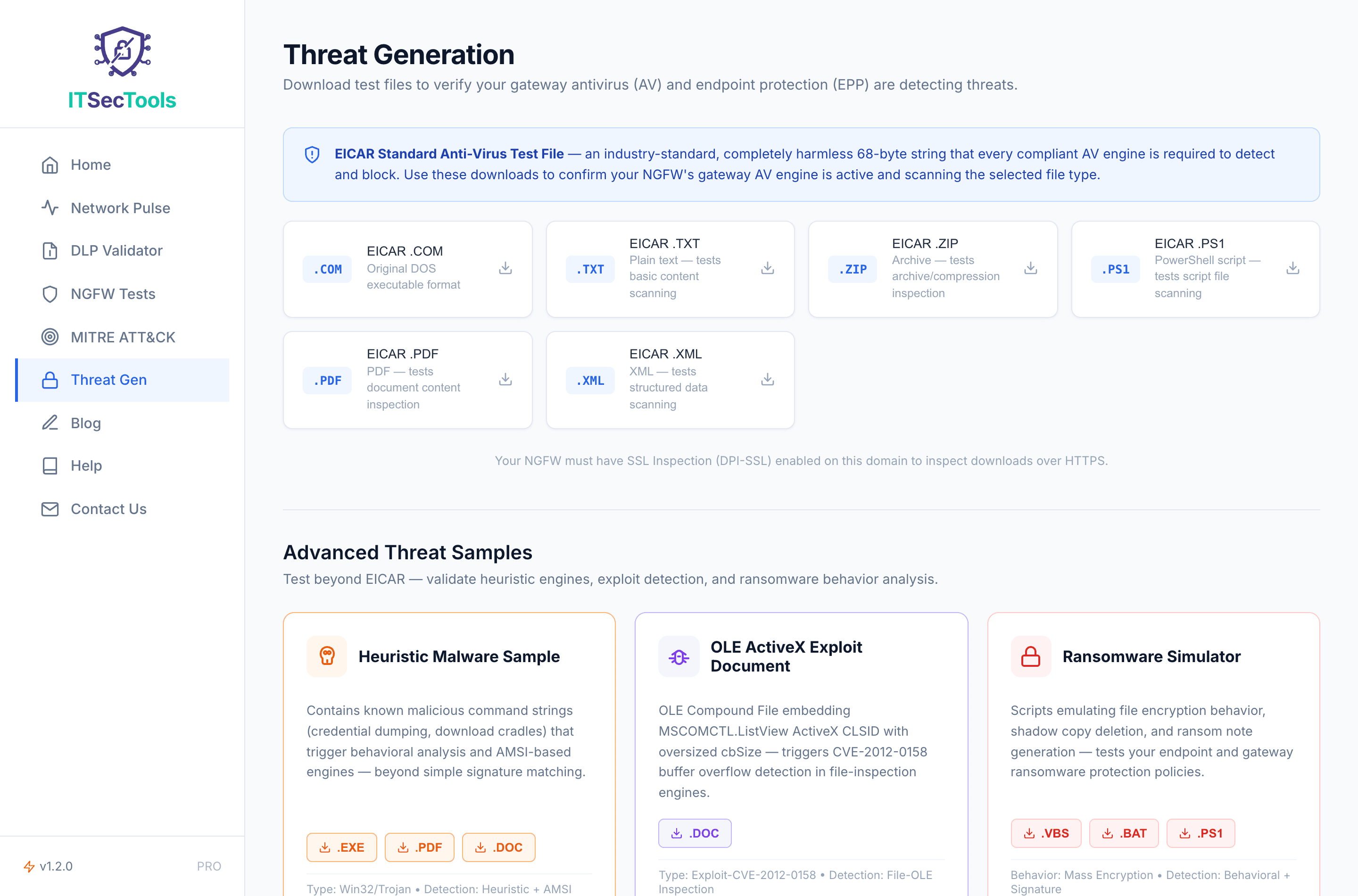
Provides 5 distinct threat categories. It tests signature scanning (EICAR), heuristic analysis (Mimikatz patterns), behavioral detection (ransomware scripts), and format exploit defenses (OLE/ANI).
Modern threats don't look like EICAR. They look like PowerShell scripts downloading payloads. They look like VBScript files encrypting directories. They look like OLE documents triggering buffer overflows. If you're only testing with EICAR, you're testing 1% of your detection capabilities and assuming the other 99% works.
EICAR in 3 Formats — Each Tests a Different Path
ITSecTools serves the EICAR Standard Anti-Virus Test File in three formats. Each one validates a different layer of your scanning pipeline — a complete pass means your gateway and endpoint cover executable, text, and archive inspection paths.
1. EICAR .com (native executable) — Tests how your AV handles small DOS/COM executable files. This is the canonical EICAR delivery format. Endpoint AV should quarantine this on download; gateway AV with SSL inspection should block it at the network edge.
2. EICAR .txt (plain text) — Tests content-inspection paths used for email attachments, paste-bin downloads, and text exports. Many gateway proxies skip text/plain inspection by default. If your gateway misses the .txt EICAR but catches the .com, you have a MIME-type whitelist gap.
3. EICAR .zip (archive) — Tests archive scanning depth and gateway unpack capability. Many gateways are configured with a max-archive-depth setting (commonly 3 or 4). If your gateway misses this one but catches the .com, your archive inspection policy needs review.
What EICAR Actually Validates
EICAR is a signature-detection test. A pass tells you exactly one thing: your AV/EDR engine is online, the signature database is loaded, and content inspection is reaching the file in question. Those are non-trivial things to confirm — many real-world misconfigurations cause one of those layers to silently fail.
EICAR does not exercise heuristic detection, behavioral analysis, or sandboxing. For those layers, validate using the dedicated tests on this platform:
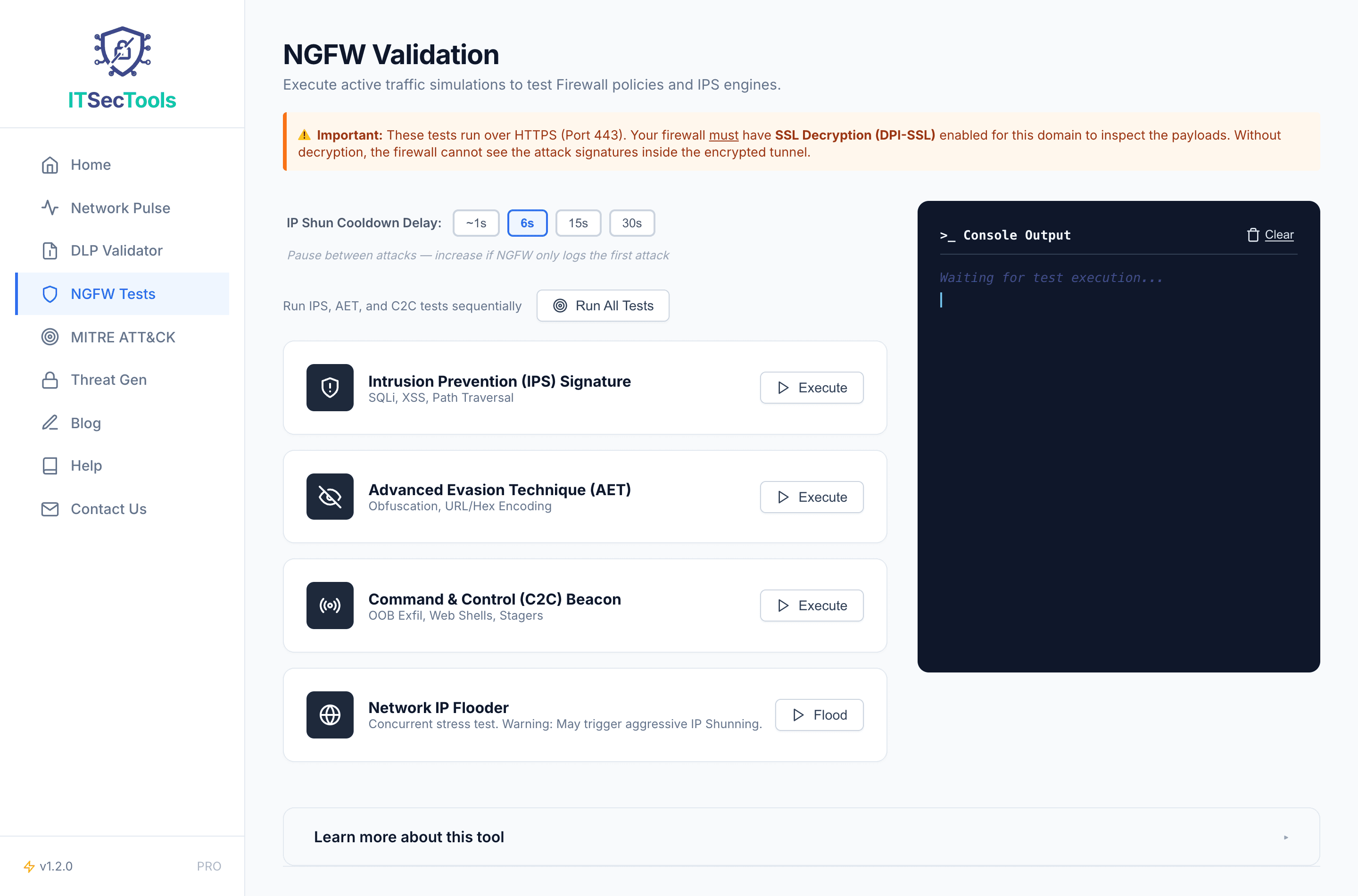
- NGFW Tests — Validates IPS signature detection, Shellshock response-side patterns, Log4j JNDI, C2 beacon detection.
- MITRE ATT&CK Simulator — Multi-stage kill-chain (T1190, T1059.001, T1003.001, T1048.003) for layered post-exploitation visibility.
- DLP Validator — Tests data-loss-prevention coverage including nested-JSON exfiltration that most DLP engines miss.
Use EICAR as the smoke test before you dive into the deeper coverage gaps. If EICAR fails, none of the other tests are meaningful — fix that first.
Gateway vs Endpoint — Test Both
The threat tests in ITSecTools are served over HTTPS. This immediately tests two things: your gateway AV (firewall or proxy) and your endpoint AV. And it exposes a gap that many teams don't realize exists.
If your firewall has SSL decryption enabled, the gateway should catch the threat file before it reaches the endpoint. You'll see a block page or a connection reset. If SSL decryption is not enabled, the gateway sees only encrypted traffic — the threat file passes through the firewall invisibly, and only the endpoint AV has a chance to catch it.
Run the test from machines on different network segments. A common finding: the security team's VLAN has full protection (SSL inspection on, both gateway and endpoint AV catch EICAR), but the guest Wi-Fi or a branch office subnet has no gateway scanning at all (only endpoint catches it).
What Your Results Tell You
Gateway blocks all three formats (.com, .txt, .zip): Your firewall has SSL inspection enabled, content scanning is active, and archive unpack policy is in place. Endpoint protection serves as defence-in-depth.
Gateway blocks .com but misses .txt or .zip: Content inspection only covers executable MIME types. Configure the gateway to inspect text/plain and application/zip categories, and review the max-archive-depth setting.
Gateway misses everything, endpoint catches all three: Your gateway lacks SSL/TLS inspection for this traffic class. Endpoint AV is the only line of defence — risky if it ever fails or is disabled. Enable DPI-SSL on the gateway.
Nothing blocked anywhere: Critical configuration failure. Verify endpoint AV real-time protection is on, signature database is up to date, and the AV service is actually running. Then check gateway SSL inspection and content-filtering policy.